1 min to read
Getting Started With Python
Introduction
Hello everyone! In this guide we’ll be seeing how to setup python on your computer.
Downloading and Installing the Python Interpreter
-
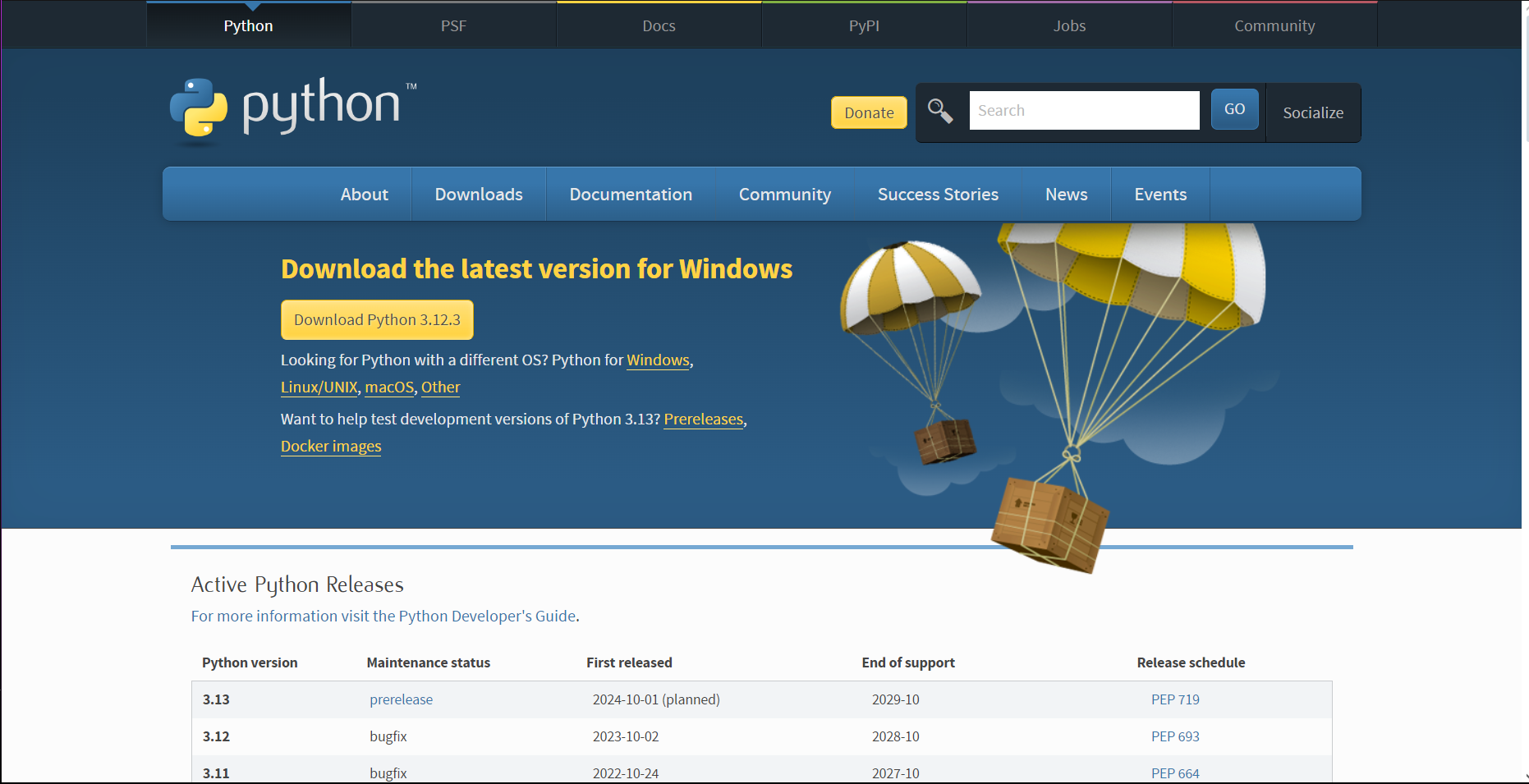
Downloading: Go to the www.python.org/downloads and download the latest version of python.
-
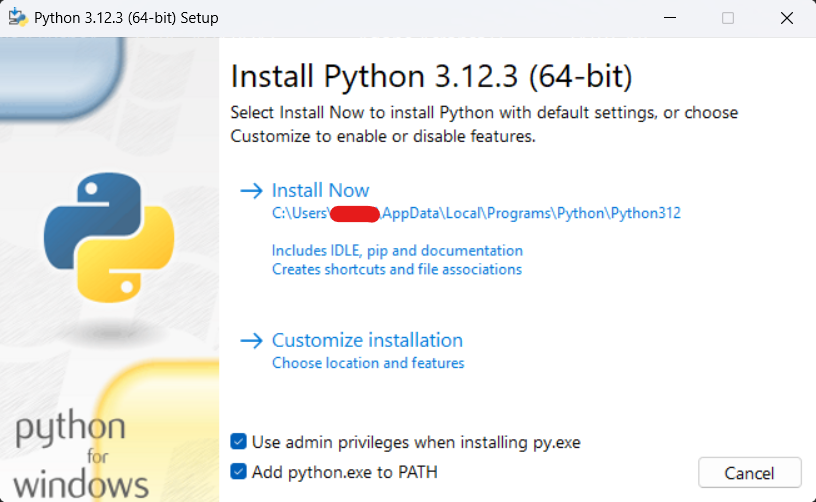
Installing: Once you download the installer. Open it and install according to the instructions given in the installer. Also don’t forget to check the “Add python.exe to PATH” checkbox. It add python to path so that we don’t have to go to it’s installed folder to run it everytime.
Compilers/Interpreters
Computers understand only one language and that’s binary(0101001), but since we’ll be giving instructions(programming) in python, we need something to convert our program to computer understandable code(also called machine code).
This is where compilers/interpreters come in, these are software whch convert our code(source code) to machine code. When we installed python we actually installed the interpreter with some aditional tools. For more information on Compilers and interpreters see the explanation from geeksforgeeks.
Python is a interpreted language, meaning it uses and interpreter and that’s exactly what we installed(well with some aditional tools).
Writing Our First Python Program
Now that we have installed an interpreter, we can write and run code with it:
-
Open Notepad(or you can use any text editor u like). and type:
print("Hello World")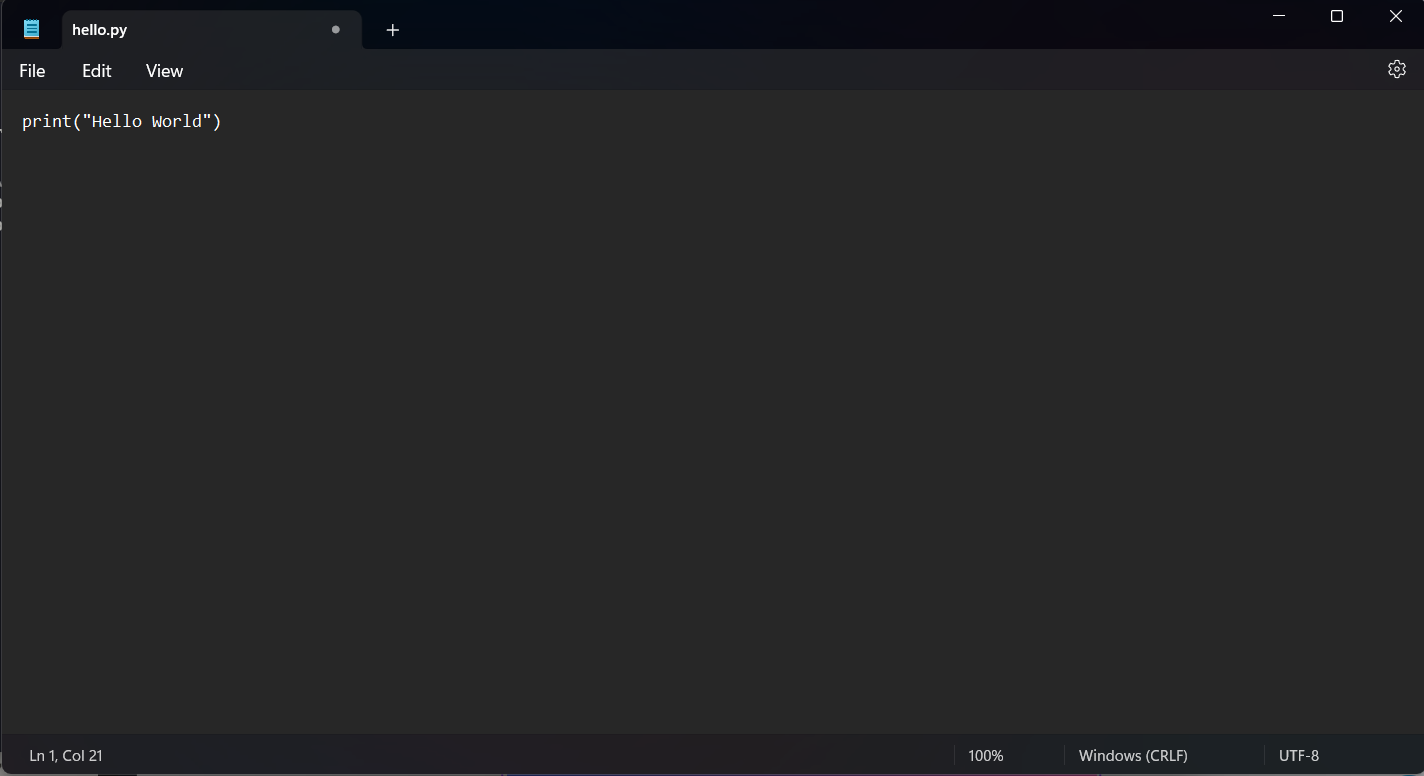
-
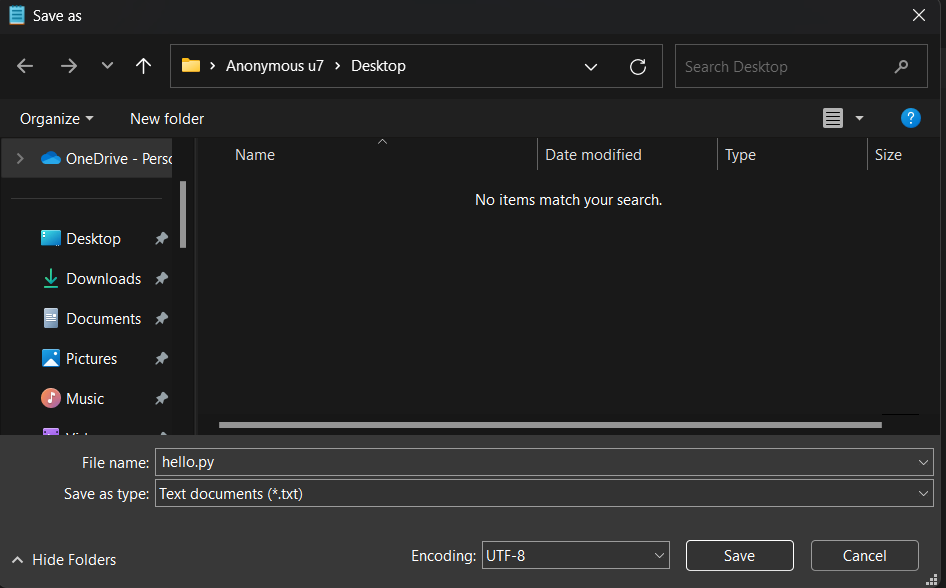
Save the file as hello.py on your Desktop(You can use any one word name for now).
-
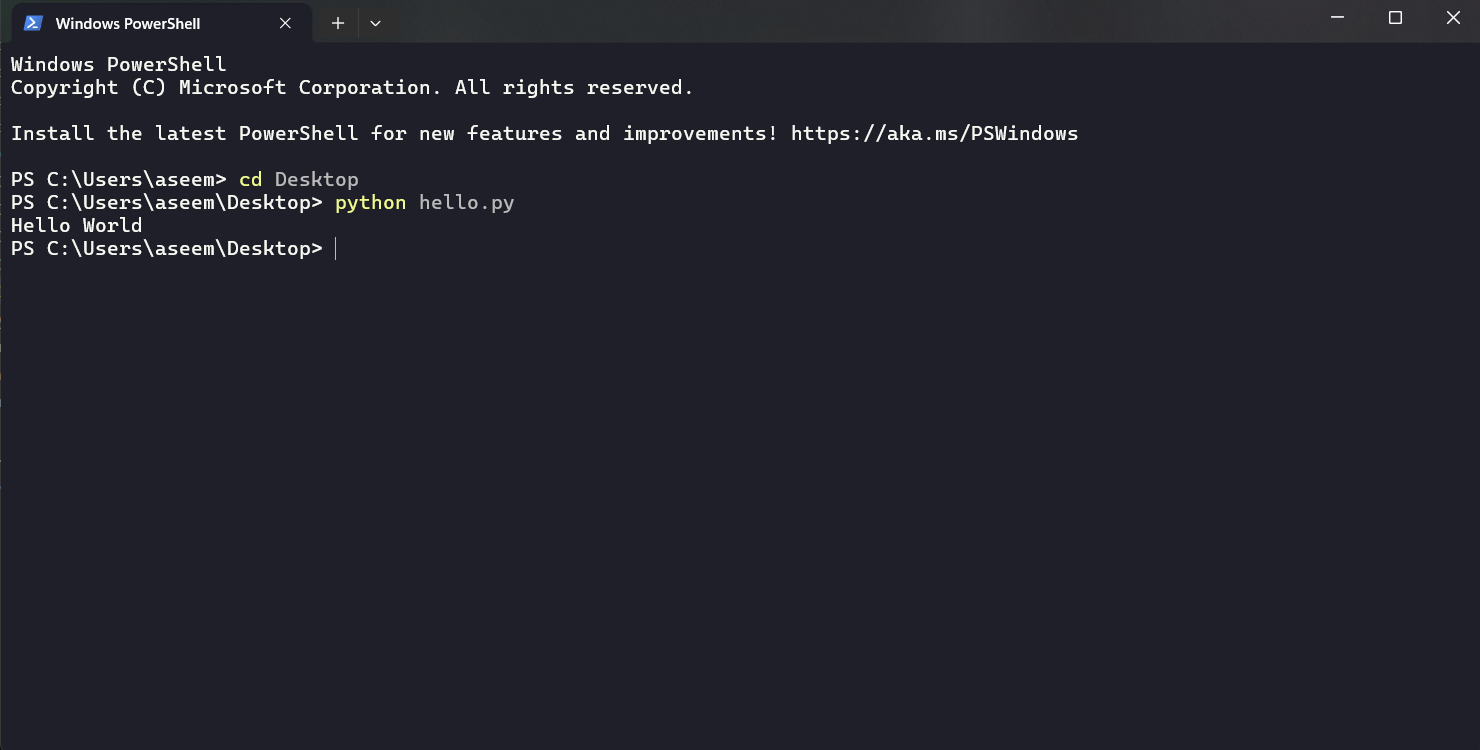
Open Command Prompt and type:
cd Desktop python hello.py -
Output
Conclusion
Congratulations for running your first python program. In the next blog, we’ll see what code editors are and how we use them. Thanks for reading.