4 min to read
IDE and Code Editor
Introduction
In the previous post we installed python and wrote our first Python program using Windows Notepad. Now notepad is a good editor if you want to quickly edit something or write a small and simple program but for more complex programs we use an IDE or a code editor as it gives us more features to make things easier.
Code Editors
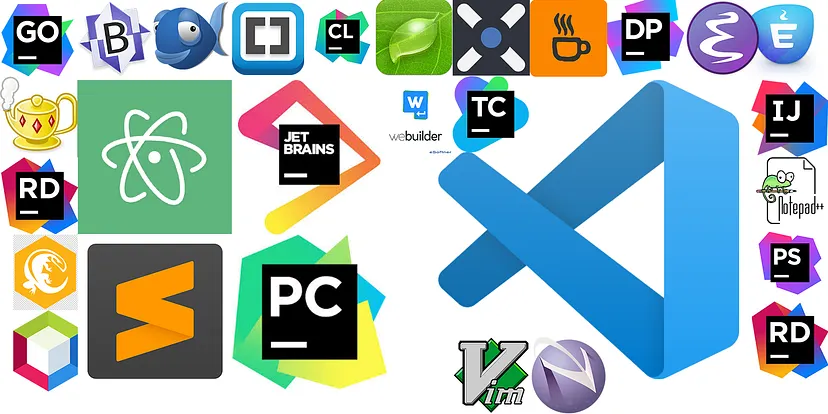
Code editor is a specialized text editor designed specifically for writing and editing code. It provides features that simplify the process of coding, making it easier and more efficient for programmers and developers. VS code, Sublime Text, Atom, are some examples of Code edittors.
Key Features
-
Syntax Highlighting: Code editors highlight keywords, operators, and other elements of a programming language in different colors to make the code more readable and easier to understand.
-
Autocomplete: This feature suggests completions for partially typed words or code structures, which can speed up coding and reduce errors.
-
Code Formatting: Code editors often include tools to automatically format your code according to standard style guidelines, ensuring consistent and readable code.
-
Error Detection: Many code editors can detect syntax errors and other common coding mistakes in real-time, helping developers correct issues before running their code.
-
Extensions and Plugins: Code editors typically support various extensions and plugins that add functionality, such as debugging tools, version control integration, and language-specific features.
-
Multiple Language Support: Good code editors support a wide range of programming languages, allowing developers to work on different types of projects within the same environment.
Integrated Development Environment(IDE)
An Integrated Development Environment(IDE) is a software that provides a complete set of tools for software development. Unlike a simple code editor, an IDE integrates various development tools into a single interface, offering a more cohesive and efficient workflow for developers. Some examples include, Pycharm(IDE for python), IntelliJ IDEA(IDE for java), Xcode(IDE for making apple apps), etc.
Key Features
-
Code Editor: At the core of an IDE is a code editor that often includes advanced features like syntax highlighting, code completion, and code folding.
-
Compiler/Interpreter: IDEs often include compilers or interpreters for the languages they support, allowing developers to compile or interpret code directly within the environment.
-
Debugger: Integrated debugging tools help developers find and fix errors in their code by allowing them to step through code execution, set breakpoints, inspect variables, and analyze the call stack.
-
Build Automation Tools: IDEs usually include build automation tools that streamline the process of compiling, linking, and packaging code into executable programs or libraries.
-
Version Control Integration: Many IDEs integrate with version control systems like Git, enabling developers to manage code repositories, track changes, and collaborate with others without leaving the environment.
-
Project Management Tools: IDEs often provide tools for managing project files and directories, configuring project settings, and handling dependencies.
-
Code Navigation and Refactoring: Features like go-to-definition, find references, and automated refactoring make it easier to navigate and improve code.
-
Testing and Profiling Tools: Some IDEs include tools for running unit tests and profiling code performance, helping developers ensure their code is correct and efficient.
-
Integrated Terminal: An integrated terminal or command-line interface allows developers to execute commands and scripts directly within the IDE.
-
Plugin and Extension Support: Many IDEs support plugins and extensions that add additional functionality, such as support for new languages, frameworks, and tools.
IDE vs Code Editor
There might be a confusion on which one to use so here is a comparison table for an IDE vs a Code Editor.
| Aspect/Feature | Code Editor | IDE |
|---|---|---|
| Purpose | Editing code | Full-scale development |
| Key Features | Syntax highlighting, Autocompletion, Basic error detection, Code formatting, Extensions and plugins | Advanced code editor, Compiler/Interpreter, Debugger, Build automation, Version control, Project management, Code navigation, Testing, Profiling, Integrated terminal |
| Performance | Fast and responsive | More resource-intensive |
| Customization | Highly customizable | Somewhat Customizable but focused on extensive out-of-the-box features |
| Examples | Visual Studio Code, Sublime Text, Atom, Notepad++ | Eclipse, IntelliJ IDEA, PyCharm, Android Studio, Xcode |
| Complexity | Simple, lower learning curve | More complex, steeper learning curve |
| Ideal Project Size | Small to medium projects, quick edits | Large-scale projects |
| Speed and Resource Usage | Faster, less resource-intensive | Slower, more resource-intensive |
| Integration | Extensions-based, less seamless | Seamless integration of tools |
| Flexibility | Greater flexibility through extensions | Comprehensive features, less flexibility |